
22
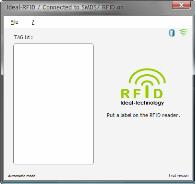
Main screen
File Menu ____________________________________________________________________
Setup…
Give access to main parameters of the software (please refer to Setup screen p17)
Automatic reading
The software can work in automatic mode. Just place a RFID tag on the cover of
the RFID reader and software will make a try to read the tag (every 1 second) and
search for information in SMDS / SpaceTrax database if the connection has been
described in the setup.
Select Automatic reading from the menu makes the following changes. :
- a check sign is placed in front of Automatic reading.